Review Comments (0) Screenshots (6) Questions & Answers (0) Votes (4) Awards (18) Wiki  
(4)
FairStars Soft
3.44
www.fairstars.com
Shareware
$24.95  Purchase
748 people
Download FairStars Recorder

2.83 MBDownloaded 645 times

This software was checked for viruses and was found to contain no viruses.
Click here to see antivirus report.
 
Video tutorial for FairStars Recorder 3.2
Frame
This video tutorial has been acquired from Downloadtube.com

Review

This is official description

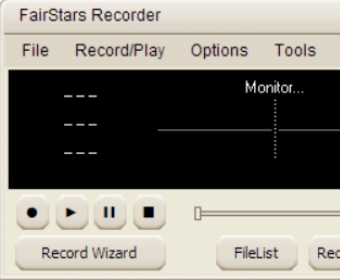
FairStars Recorder is a real-time audio recorder, offering professional recording features with full support for WMA, MP3, OGG, APE, FLAC and WAV formats. It allows you to record sound directly from your sound card, including from a microphone or a line-in jack at high quality.

It can be used to grab any sound, including music, dialogs from movies, game sounds, streaming audio or anything else. The captured sound can be saved directly to WMA, MP3, OGG, APE or WAV format, without the need for temporary files.
 
The following review written by one of the Software Informer contributors applies to version 3.2

FairStars Recorder is a complete application that provides you with different useful functions. You can use this program as an audio recorder to record any external sound by using a microphone or other device and save the result as a WMA, OGG, Mp3, APE, FLAC or WAV file. The program enables you to record any sound directly from a sound card. FairStars Recorder can also be used to record sound from music being played on your computer, from movies, games, conversations and more. The application comes with a tag editor that will let you modify your audio files' title, artist, album, year, copyright, lyrics and more. FairStars Recorder even comes with an audio cutter that will let you cut any audio file in an easy way. All you have to do is select the beginning and the ending point and then click the 'cut' button. In order to start recording all you have to do is select the records source and then click the 'record' button. The program comes with a record wizard that will guide you on how to use the program properly. Using this program, you will be able to remove environmental noise while recording.
  • It comes with a tag editor and an audio cutter.
  • It supports many formats.
  • It allows you to remove environmental noise while recording.
  • None.

Reviewed by: Sebastian Fernandez

Reviewer rating:

Reviewed: 2 years ago

What's new in version 3.4

Bug Fixed:
. Corrected an error that the FilterPass value could not be saved.
. Corrected several skin errors.

What's new in version 3.0

Updates OGG codecs, and improves the ability of recording for Vista.
Report a wrong version Report a wrong program title Suggest a correction

Screenshots

Main Window Main Window About Window About Window Main window Main window Options menu Options menu
All 6 screenshots

Latest comments


There are no comments, be the first one!
Add new comment

E-mail Address:

Password:

Register now »

Forgot password?

Sign in with:
Download Software Informer Client
Copyright © 2012, Informer Technologies, Inc. About| Privacy and terms| Help| Feedback & Support| Partners program